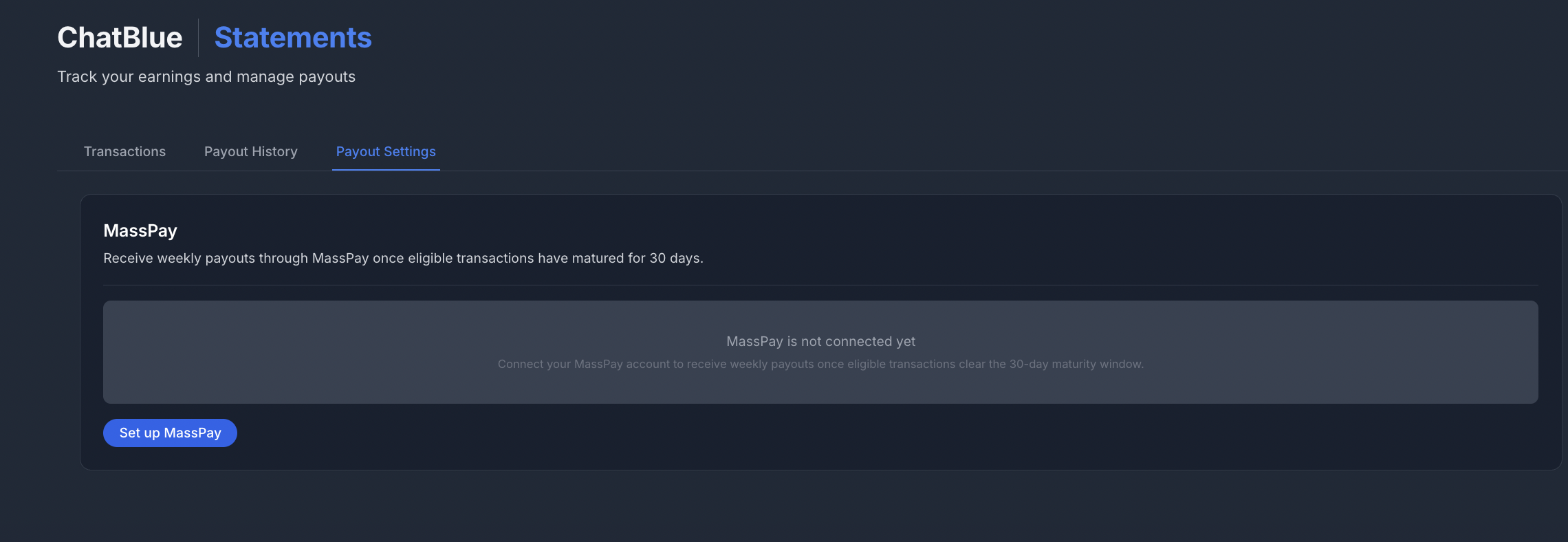
Statements gives you a complete view of your earnings, transactions, and payouts in ChatBlue. It has three tabs: Transactions, Payout History, and Payout Settings.
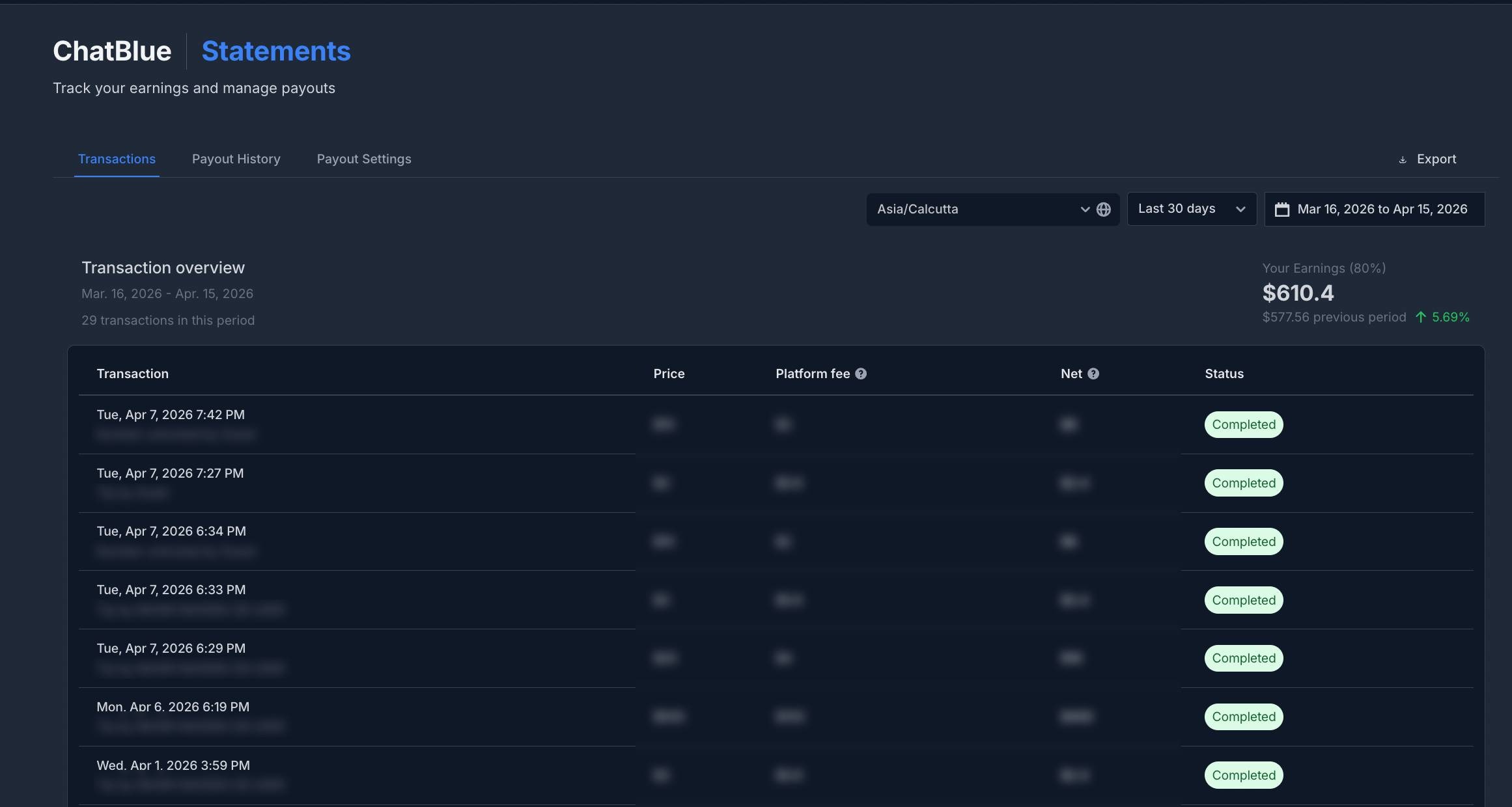
The Transactions tab shows a detailed history of all earnings.
Transaction Types
- PPV - Paid content unlocks (pay-per-view purchases)
- Number Unlocked - Fans purchasing access to your phone number
- Tip - Tips received from fans
Transaction Details
Each transaction displays:
- Date - When the transaction occurred
- Type - PPV, Number Unlocked, or Tip
- By - The fan who made the payment
- Amount - Gross transaction amount
- ChatBlue Share - Platform fee (20%)
- Net Amount - Your earnings (80%)
- Status - Successful, Pending, Failed, or Completed
Earnings Summary
At the top of the page, you'll see:
- Your Earnings (80%) - Total net earnings for the selected period
- Previous period comparison - Percentage change with trend indicator
Filters
- Date Range - Today, Yesterday, Last 7/30 days, This/Last month, Last 3/6 months, This/Last year, All time, or Custom range
- Account - Select which accounts to view (shows account column when multiple selected)
- Timezone - Set your timezone for accurate date calculations
Export
Click Export to download all transactions as a CSV file for the selected date range.
Payout History
The Payout History tab tracks your payouts and balances.
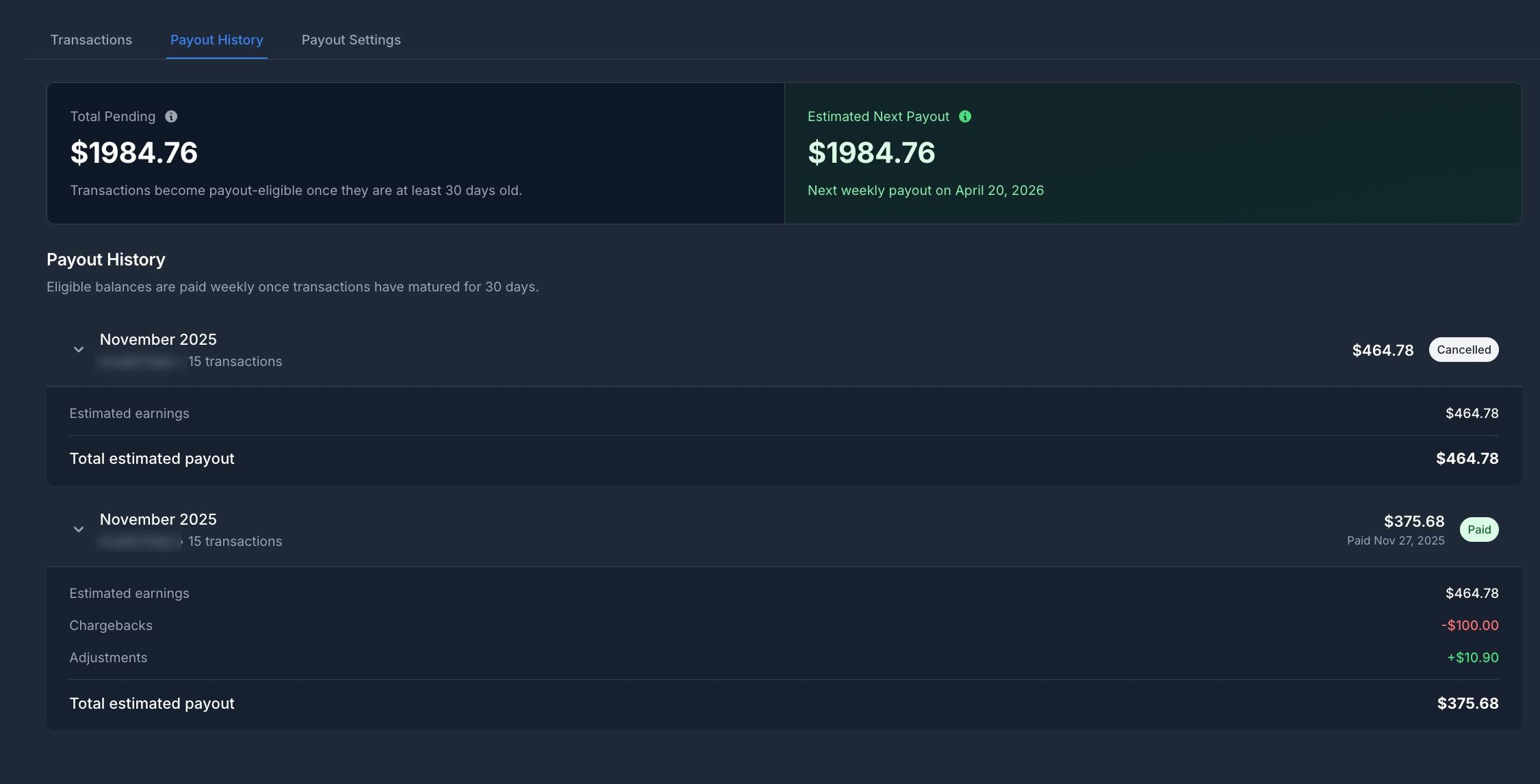
Balance Overview
- Total Pending Balance - All unpaid earnings across all time
- Estimated Next Payout - Amount expected to clear the 30-day maturity window for your next weekly payout
Payout Details
Each payout shows
- Period - The month covered
- Scheduled Date - When the payout is expected
- Transaction Count - Number of transactions included
- Amount - Payout total
- Status - Pending, Processing, Paid, Failed, or Cancelled
- Paid Date - When the payout was completed
Expand any payout to see a breakdown:
- Estimated earnings (before fees)
- Chargebacks (if any)
- Adjustments
- Total estimated payout
Payout Rules
- Transactions become payout-eligible after 7 days
- Payouts are processed on a weekly schedule
- A minimum payout threshold is required
Payout Settings
The Payout Settings tab is where you connect your payout wallet for receiving payouts.
- Set up your payout account through the integrated payment provider
- View your connection status and activation date
- Manage your payout details.