
API keys are how external services and integrations authenticate with the FansMetric Public API. Each key can be assigned roles that control exactly what it's allowed to do.
Before You Begin
Accessing API Keys
Go to Public API in the left navigation menu (under the Organization group) and click API Keys. The header shows how many keys you have, for example 3 of 10 active — each organization can have up to 10 active keys at a time.
Creating an API Key
- Click "Create API Key"
- Enter a Key Name (for example,
Production,Staging, orAnalytics Bot). The name is permanent and can't be changed later. - Under Roles, select one or more roles to control what the key can access
- Click "Create Key"
Managing API Keys
The API Keys page has two tabs:
- Active - Keys that are currently working
- Inactive - Keys that have been revoked or have expired
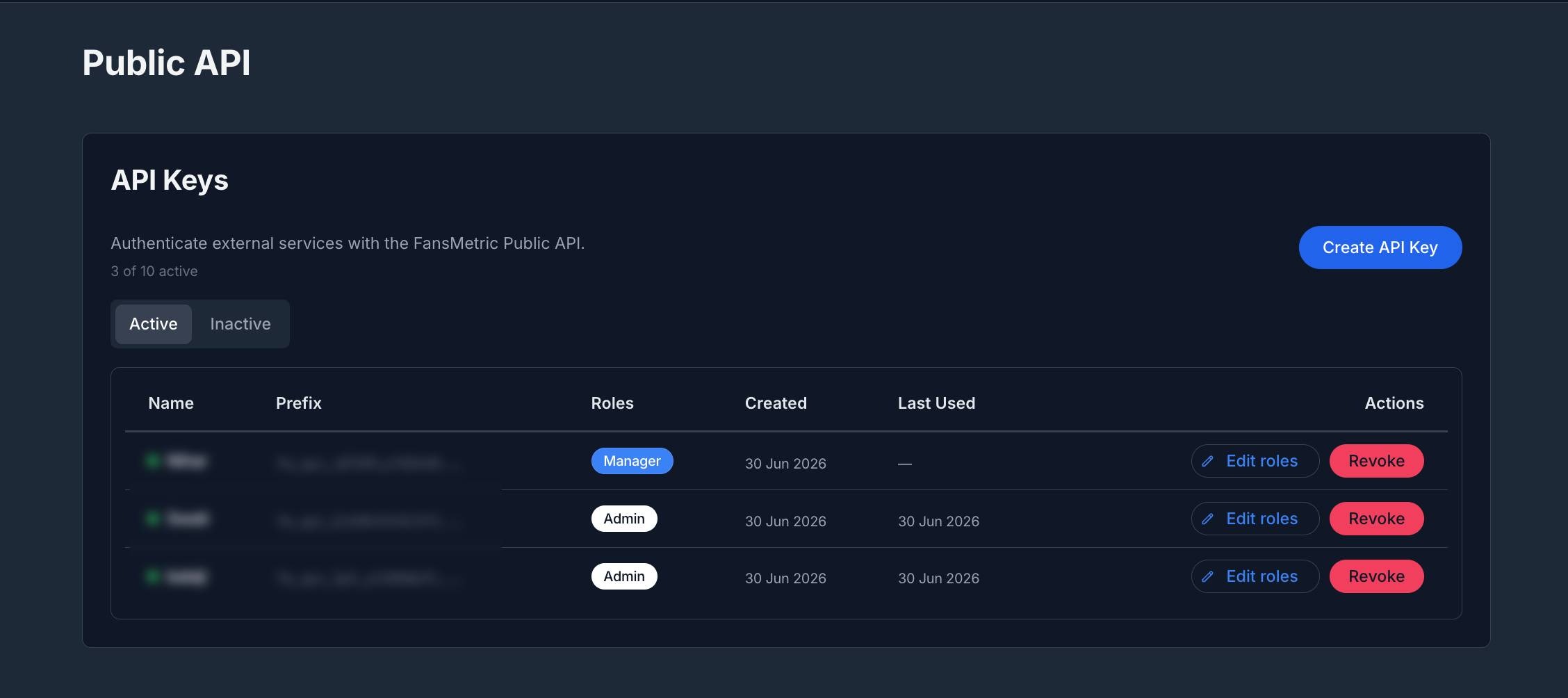
Each key in the list shows:
- Name - With a green dot for active keys and a gray dot for inactive ones
- Prefix - The first characters of the key (the full key is never shown again after creation)
- Roles - The roles assigned to the key. A key with no role shows a No role tag.
- Created - When the key was created
- Last Used - When the key last made a request (shows a dash if never used)
Editing a Key's Roles
Click "Edit roles" next to an active key, adjust the selected roles, and click "Save". This changes what the key is allowed to do without having to recreate it.
Revoking a Key
Click "Revoke" next to an active key, then confirm by clicking "Revoke Key".
Unrevoking a Key
On the Inactive tab, a revoked key that hasn't expired shows an "Unrevoke" button. Click it to re-activate the key. Expired keys cannot be unrevoked.
Things to Keep in Mind
- Your API key is shown only once. Copy and store it securely right after creating it.
- Each organization can have up to 10 active keys at a time.
- Revoking a key is immediate and permanent. Any integration using it will stop working.
- Assign roles carefully so each key only has the access it needs.
API Reference
Building an integration on top of the Public API? The docs cover endpoint references, request examples, and a live request playground:
- Introduction — What the Public API can do and how to get started
- Authentication — How to authenticate your requests
- API Keys — Passing your API key in requests